
Intuitive and easy to use
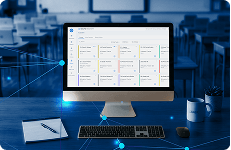
Securly Classroom's intuitive interface and comprehensive training resources ensure that teachers can quickly learn and master running a class with minimal learning curve.

Teacher-friendly classroom management software for every school
"Teachers overwhelmingly tell us it is a game changer. They love seeing what their students are doing and helping anyone who is having problems or not engaging with the material."

12,000+
schools
55,000+
teachers
1M+
students
Intuitive and easy to use
Securly Classroom's intuitive interface and comprehensive training resources ensure that teachers can quickly learn and master running a class with minimal learning curve.

Powerful communication tools
See students' screens during class, push resources to student devices, send announcements, chat with students who need help, and connect with remote learners with 1:1 video calls.
Seamless integrations
Make the tools that teachers already use work better. Access assignments from Google Classroom and Canvas, allow access to blocked educational resources, manage digital hall passes, and document health and safety observations.

Take the pain out of training
Securly Classroom is easy for teachers to pick up and start using in minutes, not days. Comprehensive training and documentation resources let teachers get instant answers to their questions.

Get insight into usage
Use the Admin Dashboard to track key statistics on how teachers are using Classroom features to better understand teacher and student needs.

Locate lost devices
Make tracking down lost or stolen Chromebooks a breeze with Lost Mode. Track locations, view screenshots, receive messages, and lock down lost devices.
"Our administration feels safe and able to be proactive and our teachers feel in control of their classes. It's a win-win for everyone."
Keep track of student movement, limit vaping and vandalism, and give your teachers more instructional time with our fully integrated digital hall pass system, Securly Pass.

Sync classes from Google Classroom and push classwork directly to students.

Sync classes from Canvas and push classwork directly to students.

Sites pushed to students can be automatically allowed for the remainder of that class session. Learn more about Filter

Manage digital hall passes and minimize classroom disruptions.
Securly Classroom works with any SIS Roster classes from many popular LMSs Deploy on Windows, Chrome, and Mac

Monitor each student's device screen during class.

Quickly push web pages to students' devices.

Disable student devices, then release individual students or the whole class.

Close tabs and Windows apps on student devices.

Share a tab or your whole screen with your class.

Lock students to a set of specific websites.

Is a student off-task? Close the tab they're on and block the site.

View a record of students' in-class browsing, during or after class.

Send a message to all students that they must acknowledge.

Communicate 1-on-1 with students and maintain logs.

Give students the ability to get your attention or ask for help.

Connect 1-on-1 with remote students over video or voice call.

Teach combinations of multiple classes in just a few clicks.

Customize instruction for different groups of students in the same class.

Receive an informative email after class with useful stats.

Create lists of sites and Windows apps to block or allow, then share them with other teachers.

Keep track of Chromebooks with classroom device management tools to lock, locate, and communicate when one goes missing.

View the whole desktop during class, and remotely close or block apps.

Intuitive controls to schedule, assign, and manage permissions for substitute teachers.

Choose what features are available to users of each role.

Detailed audit log tracks system and setting changes made by your team.