Students are already using AI.
Make sure they’re using it safely.
Securly AI Transparency shows your district which AI tools are in use in your district, what students are using them for, and if their conversations are indicative of at-risk behavior. It works inside the third-party tools students already open, including ChatGPT and Gemini, with district guardrails applied to every prompt.
Visibility inside the AI tools students already use
Prompt-level insight into ChatGPT, Gemini, and education-specific AI tools
Students didn’t wait for a district AI policy before opening ChatGPT. AI Transparency meets them there. It works inside third-party AI tools on school-issued devices, so administrators can see which tools are in use, view actual conversations, and understand how use changes over time.

"It's one thing to say, yes, we can see it on our logs, but it's another thing entirely to be able to say, let's go look at the conversation. Let's look at what that looks like over time, because that matters."

Set guardrails for AI the way you set them for the web
Topic-level policies applied to third-party AI tools
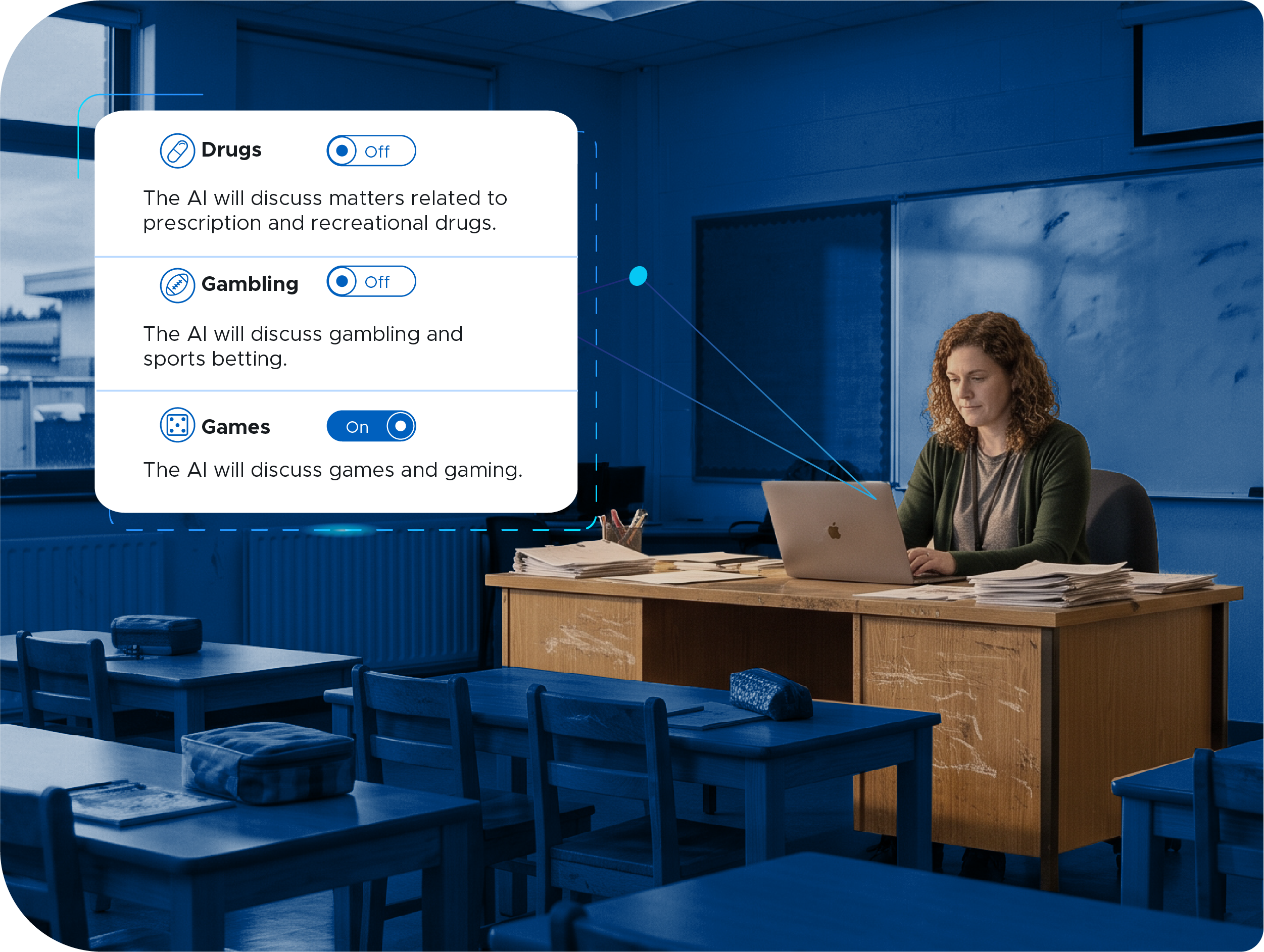
You already decide which categories of websites students can reach. AI Transparency extends that to what topics students are allowed to talk about with AI. Build policies that define which topics are open, which are off limits, and how the tool should respond when a student asks for something outside the policy.
Your students tell AI things they don’t tell adults
Safety alerts through Securly Aware
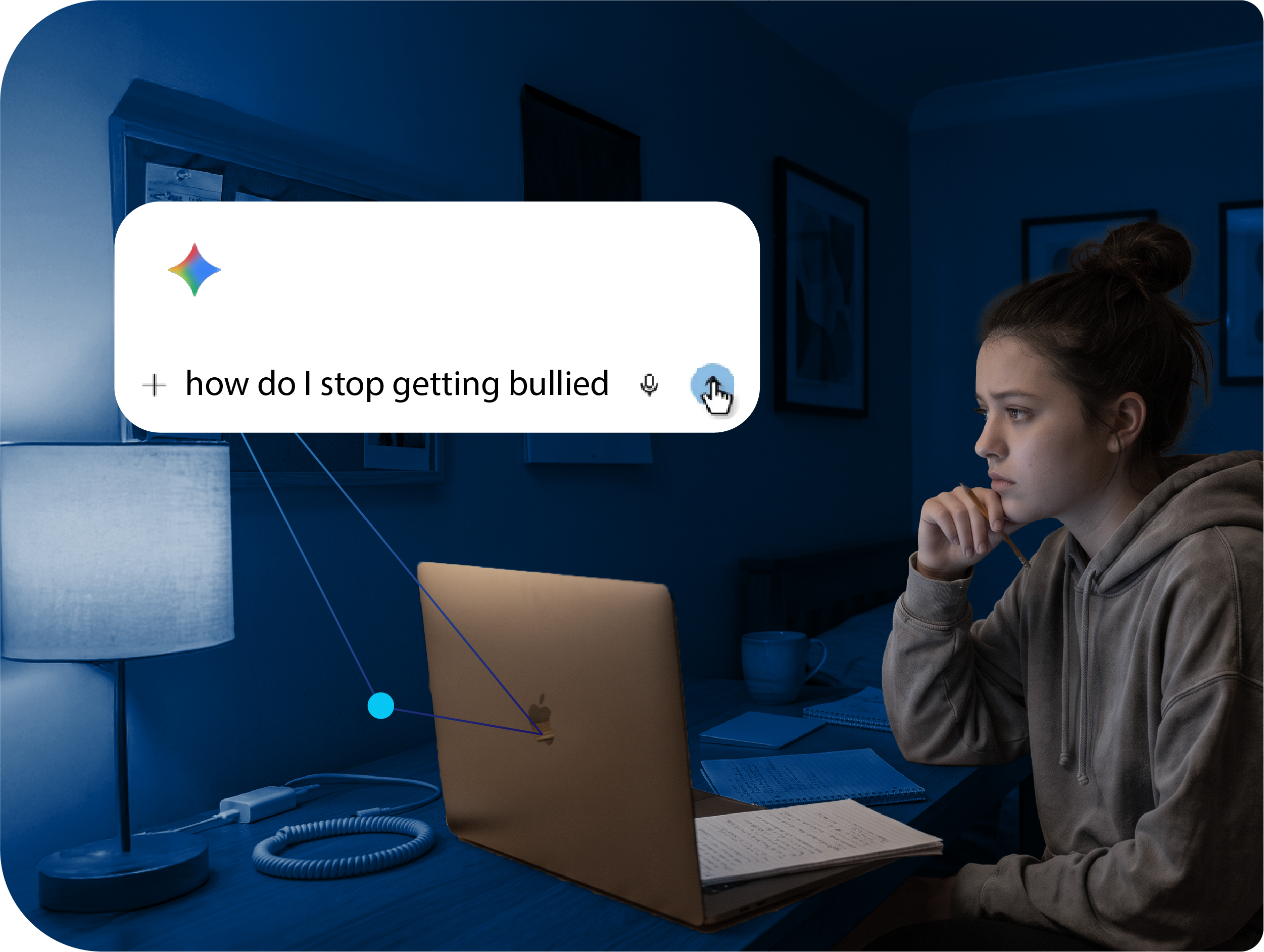
Students confide in AI. Through integration with Securly Aware, AI conversations are scanned for signs of self-harm, violence, and bullying, and concerning prompts generate alerts the same way other flagged activity does.
Know how AI is used across the district
Get AI usage metrics, by school, grade, and classroom
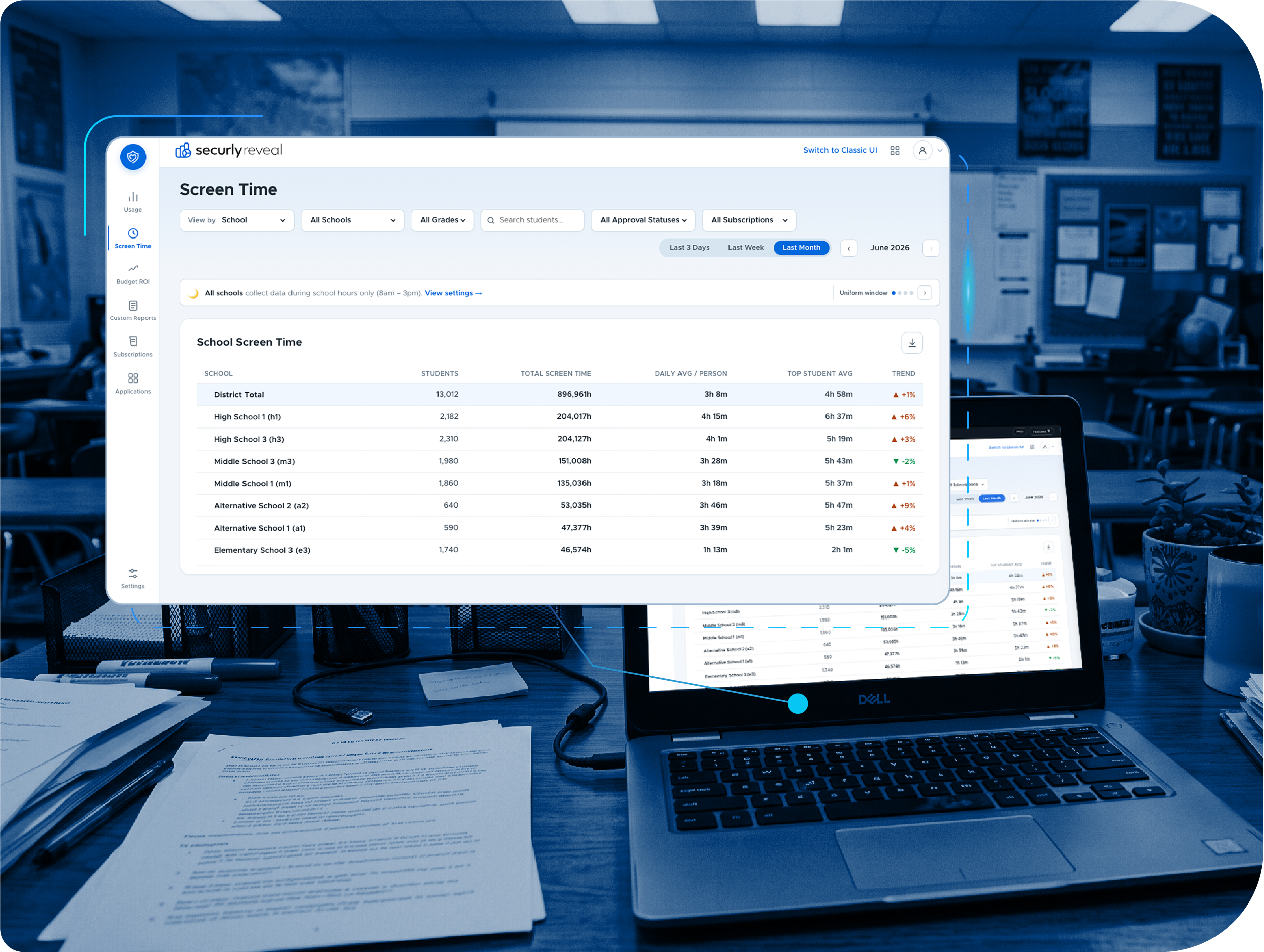
One view shows which AI platforms students use, how often, what they ask about, and how much of that use falls inside district policy. Compare schools and grade levels, watch adoption shift from one tool to another, and export what the board or curriculum team asked for. When a policy question comes up, you answer it with your own district's data.
Give teachers the visibility to guide classroom AI use
Classroom-level visibility through Securly Classroom
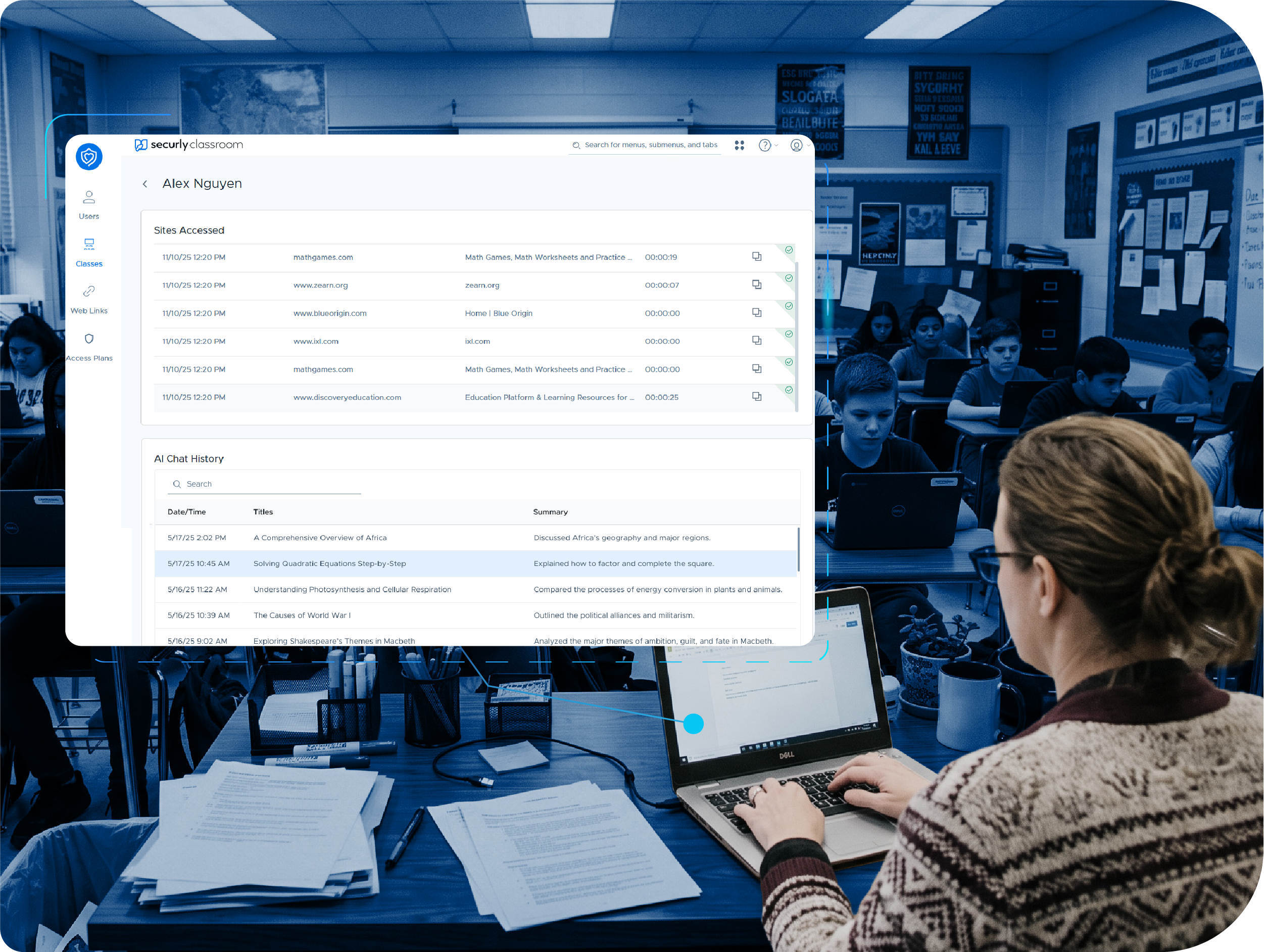
Teachers adopt AI when they can see what it is doing in their room. Through integration with Securly Classroom, a teacher sees the prompts students enter into AI tools during class and a summary of each student's use, alongside the rest of the class view. That turns AI from something happening to the lesson into something the teacher can guide.
Bring parents into the conversation
Give parents AI visibility through Securly Home
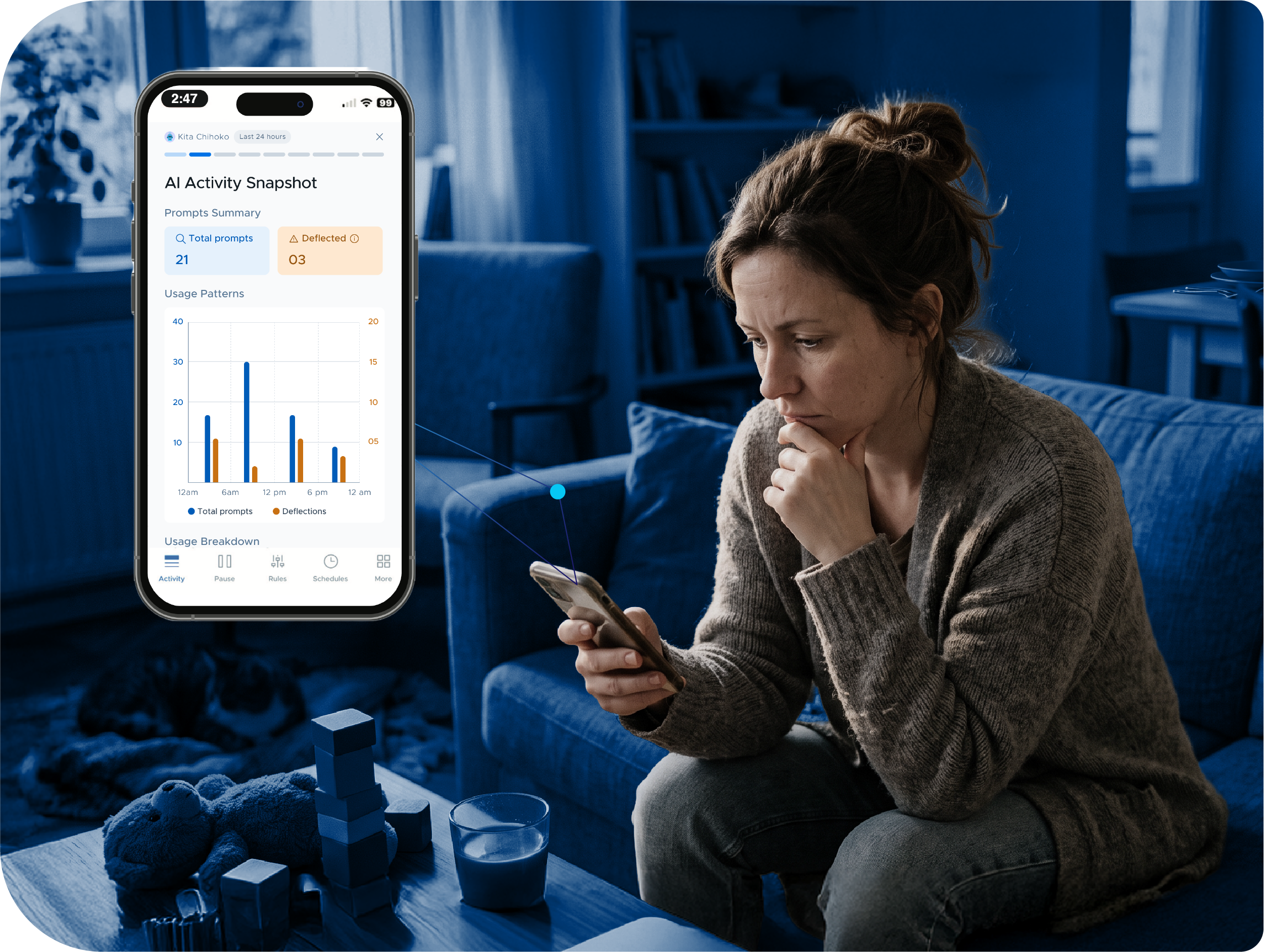
When a school device goes home, so does AI. Through integration with the Securly Home app, parents can see their child's AI conversations on their school-issued device. The district decides what parents can see, and parents get what most of them have never had: a real look at how their child uses AI, and a reason to talk about it at the dinner table.
Prefer a managed AI environment? We have one.
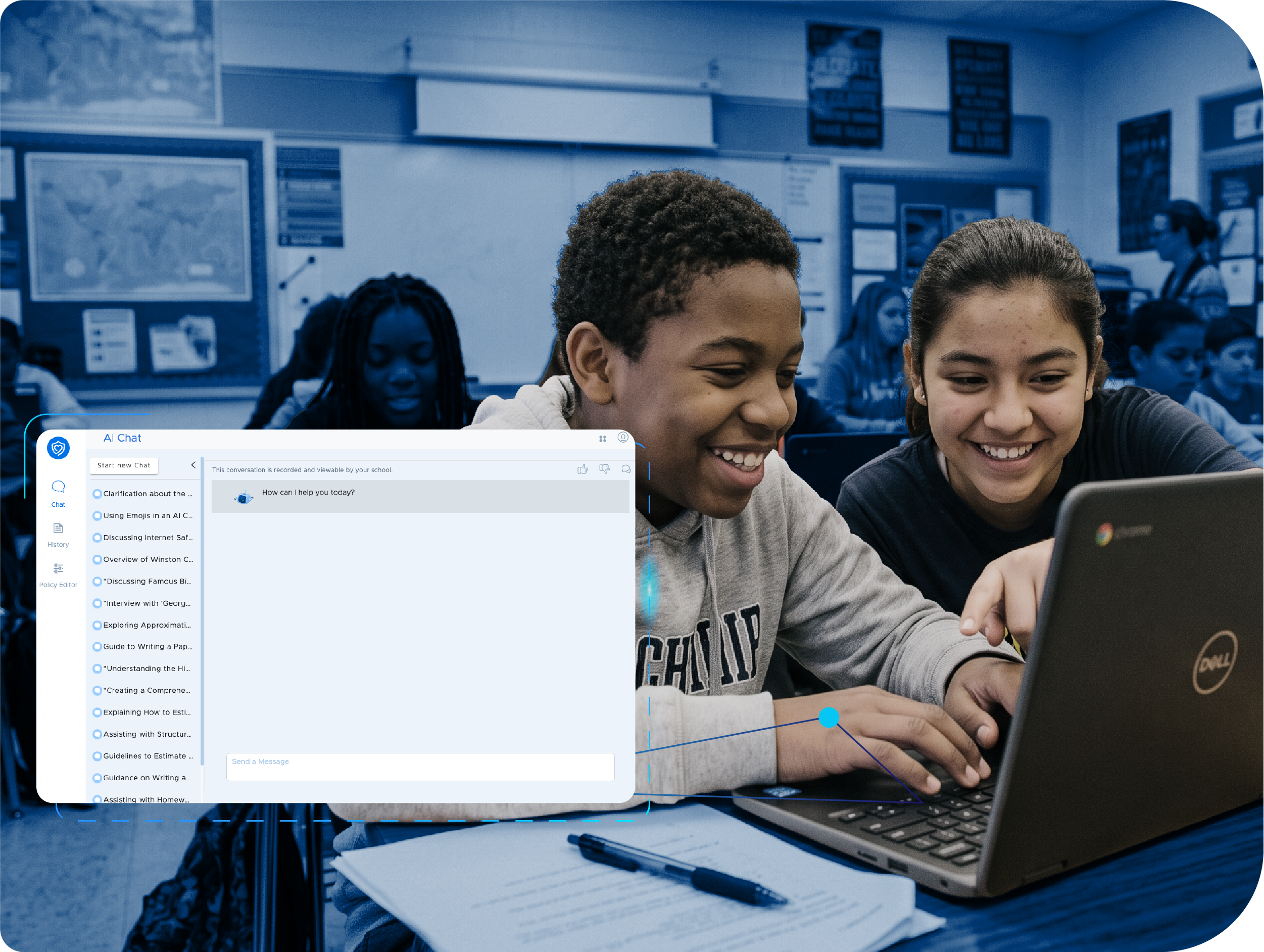
Securly AI Chat, a conversational AI built for K-12
Some districts want visibility into the AI tools they already have. Others want a locked-down single platform to get students started. Securly AI Chat is a fully managed, education-appropriate AI interface with the same Filter-style policy controls, prompt visibility, and other features described above. Student data is never used to train models, and it is COPPA-certified for students under 13. Whichever path your district takes (even if it takes both) AI Transparency reports on all of it in one dashboard.
Everything you need to see and shape student AI use
Built for districts adopting AI on their own terms

Third-party AI coverage
Visibility and guardrails inside ChatGPT, Gemini, and other conversational AI tools students use on school devices.

Prompt-level transcripts
Read the full conversation, not just the visit, for any student and any AI tool.

Topic-level AI policies
Define which topics are allowed and how the AI responds to prompts outside district policy.

Prompt deflection
Off-policy prompts are redirected to an appropriate response, and each deflection is logged.

AI Transparency Dashboard
Usage by platform, school, grade, and classroom, with the share of use that falls inside policy.

Classroom visibility
Teachers see student prompts and usage summaries during class through Securly Classroom.

AI safety alerts
Conversations scanned for self-harm, violence, and bullying through Securly Aware.

Parent AI View
Parents see their child's AI conversations on school devices in the Securly Home app.

Usage trends over time
See how tool adoption and conversation topics change week to week and school to school.

Securly AI Chat
An optional managed conversational AI for K-12, with district choice of underlying model.

Under-13 compliance
COPPA-certified, with no student data used for model training or third-party purposes.

Privacy-first architecture
Compliant with COPPA, FERPA, and GDPR. Data is encrypted and de-identified for reporting.
Bring AI transparency to your schools.
Students are already using AI. Securly AI Transparency shows your district what that use looks like and gives you the guardrails to shape it.